
Box Art

ROM Download
Download ROM
Lunar Buggy (2026) (NewColeco) (Ahoy).rom
🎮 Play Online
MUST MAP KEYS ON FIRST PLAY
Game Information
Publisher:
Amy Studio/Amy Purple (Bienvenu)
Developer:
Claude (Anthropic) for Amy Studio
Release Year:
2026
Category:
Magazine Adaptation
Players:
1 Player
Publisher Catalog #:
AHOY-170
Box Type:
ROM Only
ROM Size:
16KB ROM
Controls:
Standard Controller
Features:
184 Ahoy! Magazine Programs #170
Description
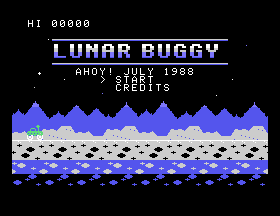
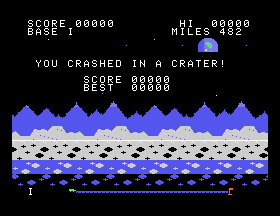
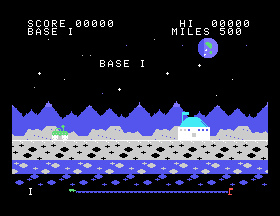
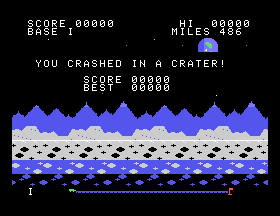
Drive the buggy across the Moon from base to base: ten bases, 500 miles each, from base I to base X. Three layers of lunar landscape scroll past at three speeds. Steer left and right along the road and push up to jump the craters that come along it. A flying saucer zigzags across the sky; shoot it down, firing ahead or straight up, for 100 points times the base number, and it returns from the right in a new colour each base. One crash ends the trip: rolling into a crater or touching the saucer wrecks the buggy. Reach base X to recover the buggy.
Controls: Controller 1 (or 2). Left and right drive, up jumps; the left button fires ahead (with the stick up: straight up), the right button fires straight up.
ColecoVision version credited in the source to Claude (an AI made by Anthropic) for Amy Studio, in Amy, the language by Amy Bienvenu, 2026: a reimagined adaptation of the published rules. From Ahoy! magazine, July 1988, page 15: original Commodore 128 program by Cleveland M. Blakemore. This is a modern homebrew adaptation, not a commercial Coleco release.
Controls: Controller 1 (or 2). Left and right drive, up jumps; the left button fires ahead (with the stick up: straight up), the right button fires straight up.
ColecoVision version credited in the source to Claude (an AI made by Anthropic) for Amy Studio, in Amy, the language by Amy Bienvenu, 2026: a reimagined adaptation of the published rules. From Ahoy! magazine, July 1988, page 15: original Commodore 128 program by Cleveland M. Blakemore. This is a modern homebrew adaptation, not a commercial Coleco release.
Screenshots (4)
Screenshot 1
Screenshot 2
Screenshot 3
Screenshot 4



